
ESG Bulk Data Input
The ESG bulk data management feature streamlines the entry of large datasets.
The problem: Single-entry inputs were time-consuming, error-prone, and inefficient for managing large volumes of ESG data.
The solve: We developed a bulk data input feature that allowed users to upload large amounts of ESG data, improving efficiency and accuracy.
My role: I was the sole product designer, working with a remote team of engineers and a product manager.
Exploratory Research
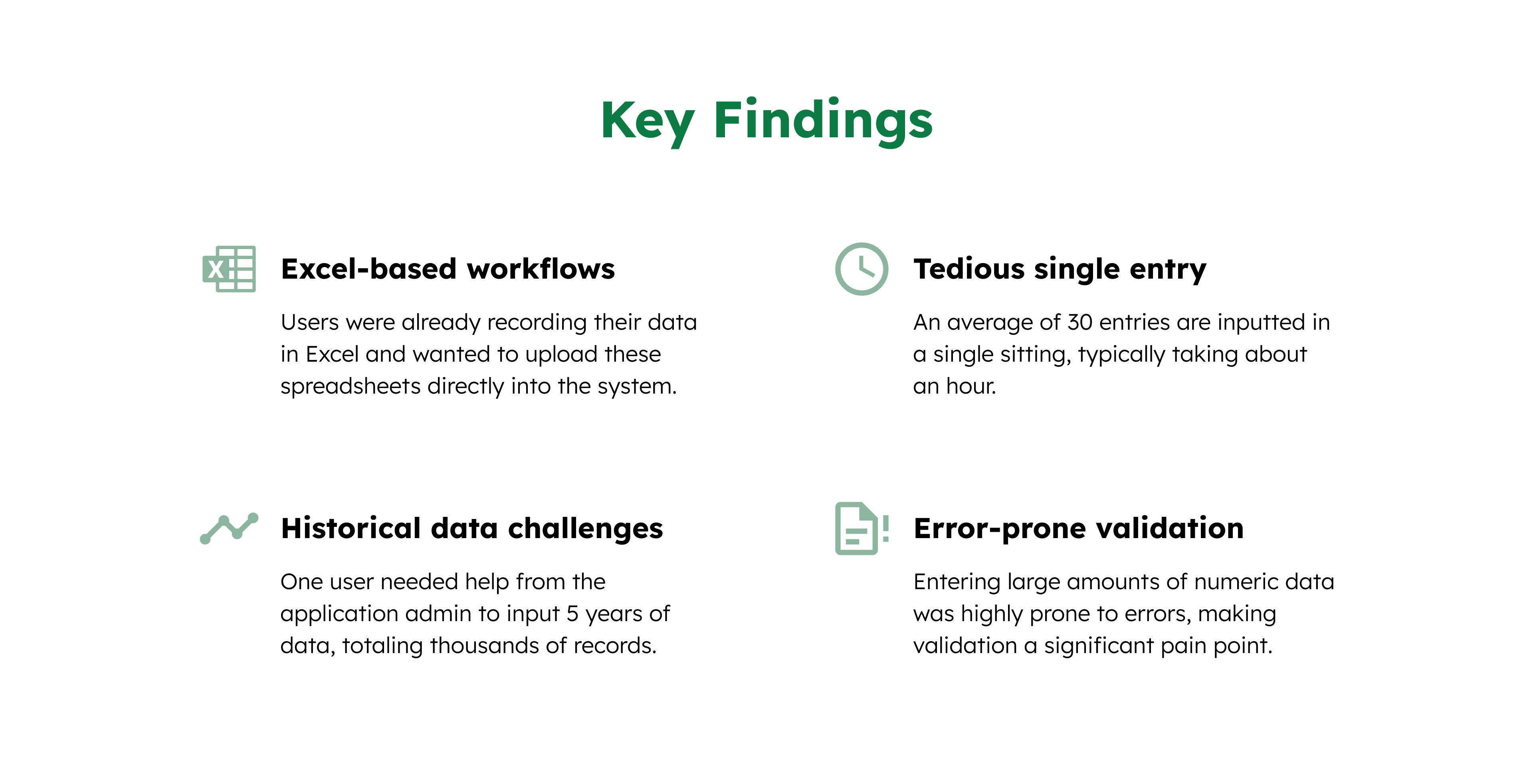
We spoke with 5 users to understand their frustrations with the existing system and how they currently handled large datasets.
Design Process
We explored several options for improving data entry, including examining existing solutions in the market. Based on user feedback and initial testing with lo-fi wireframes, we shortlisted our options.
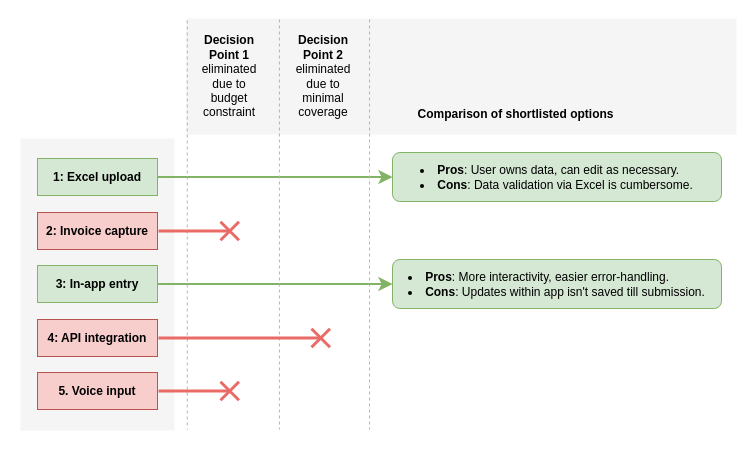
We opted for a combination of Excel Upload and In-app Data Entry to balance familiarity and real-time validation.
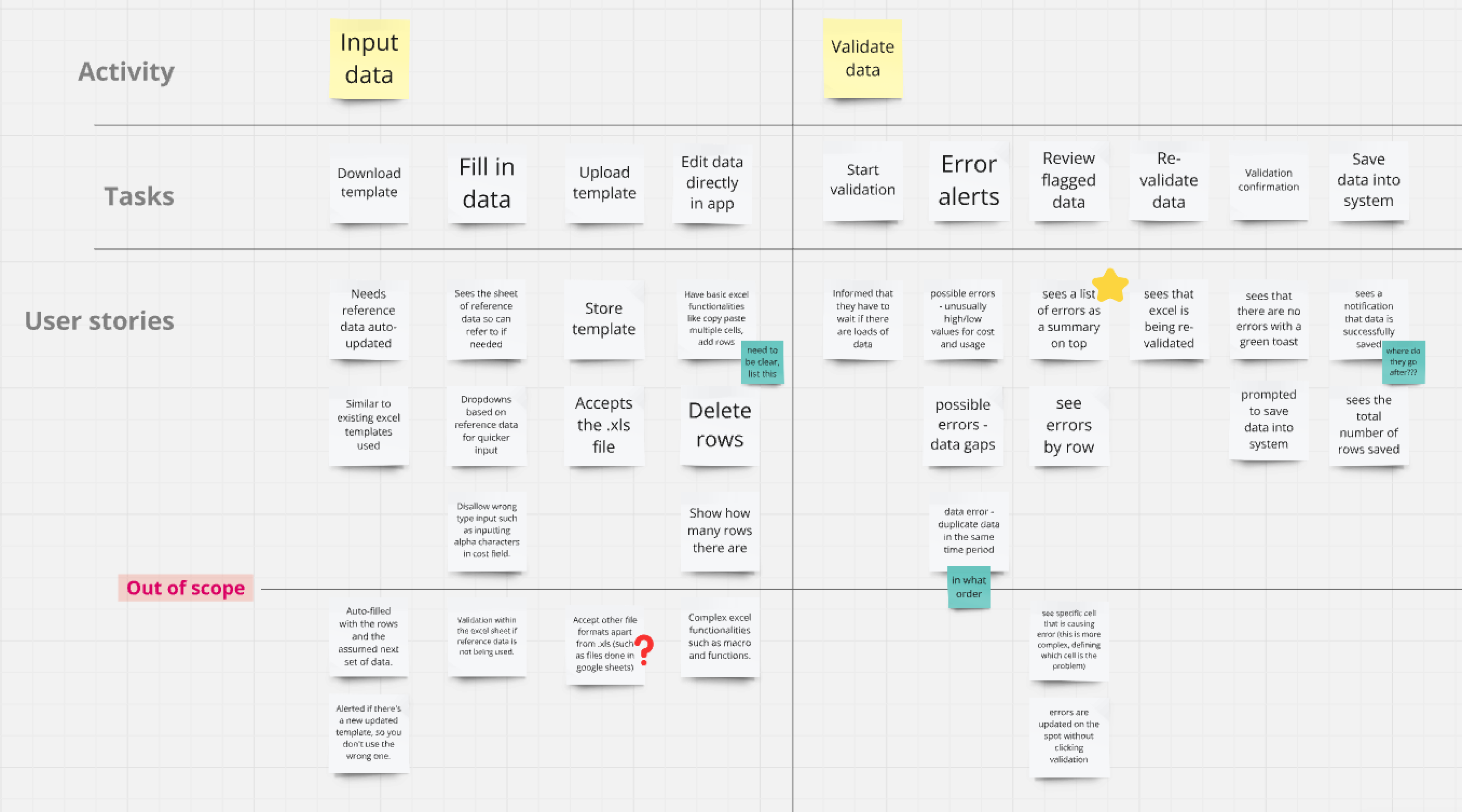
Once the concept was clearer, we created a user story map to define the key tasks users needed to complete, prioritize features, and ensure we aligned with user goals. This allowed us to understand which parts of the workflow needed the most attention.
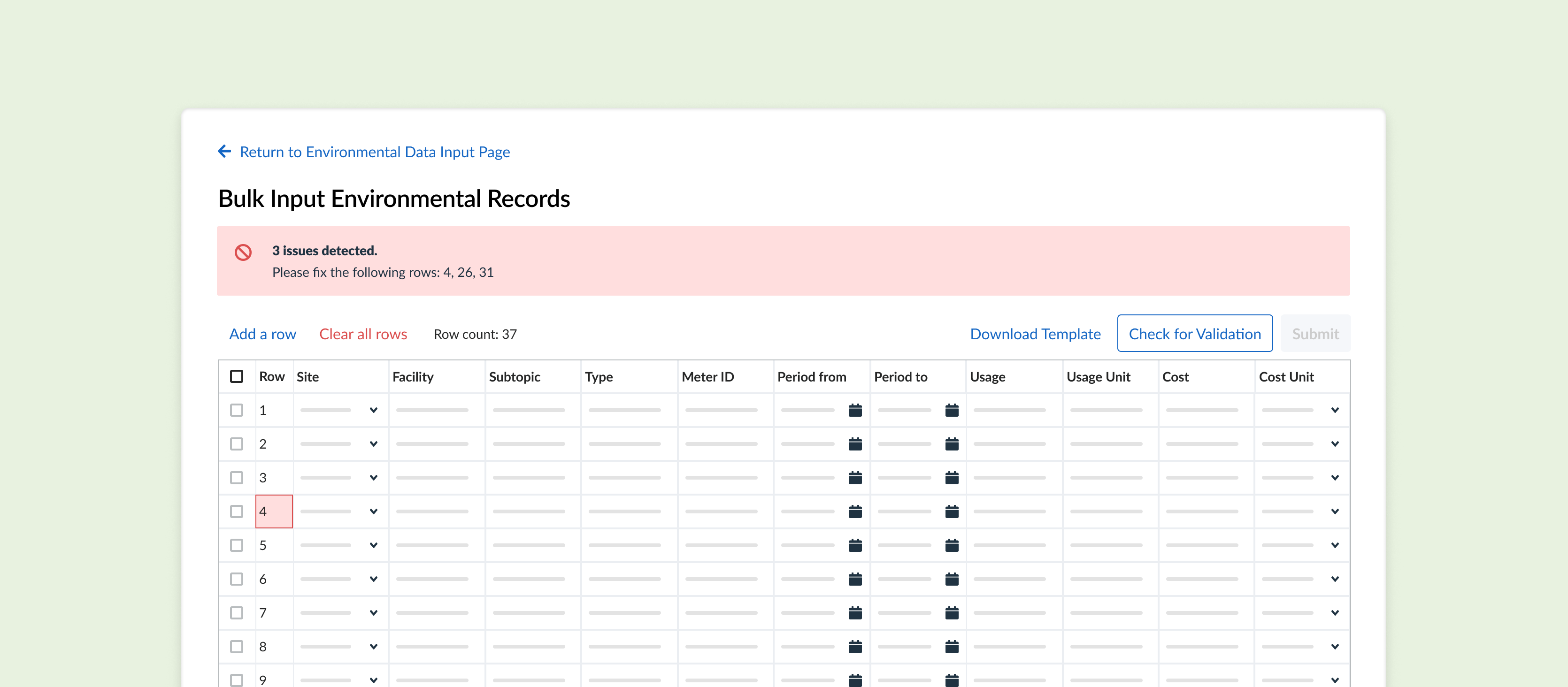
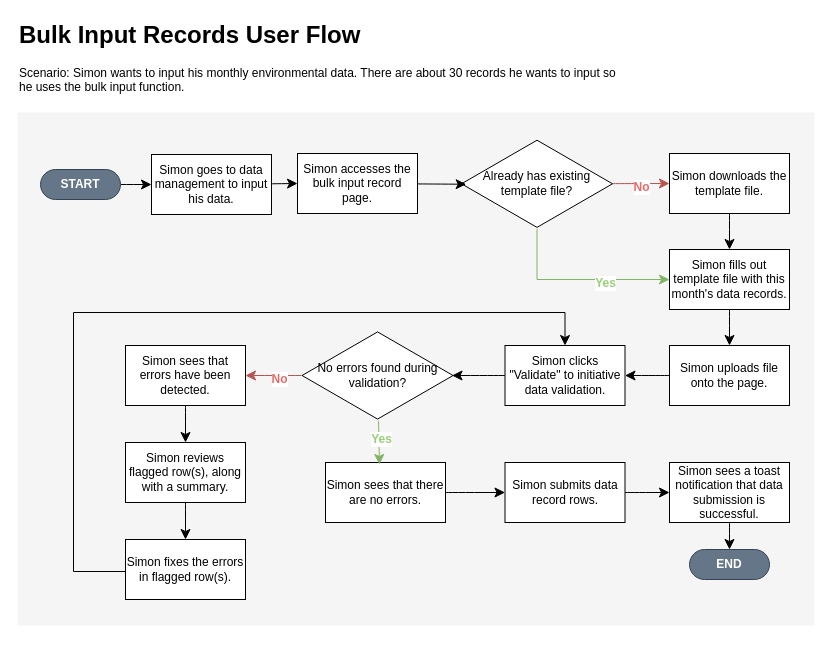
With the team aligned on what was needed, I created a user flow to detail how users would upload and validate data. This ensured that users could correct errors and flag anomalies (such as unusual values) before finalizing their inputs.
Usability Testing
After building a prototype of the bulk data input feature, we tested it with real users who frequently handle large datasets. We ran through scenarios where users had to upload and validate data, focusing on error handling and workflow efficiency.
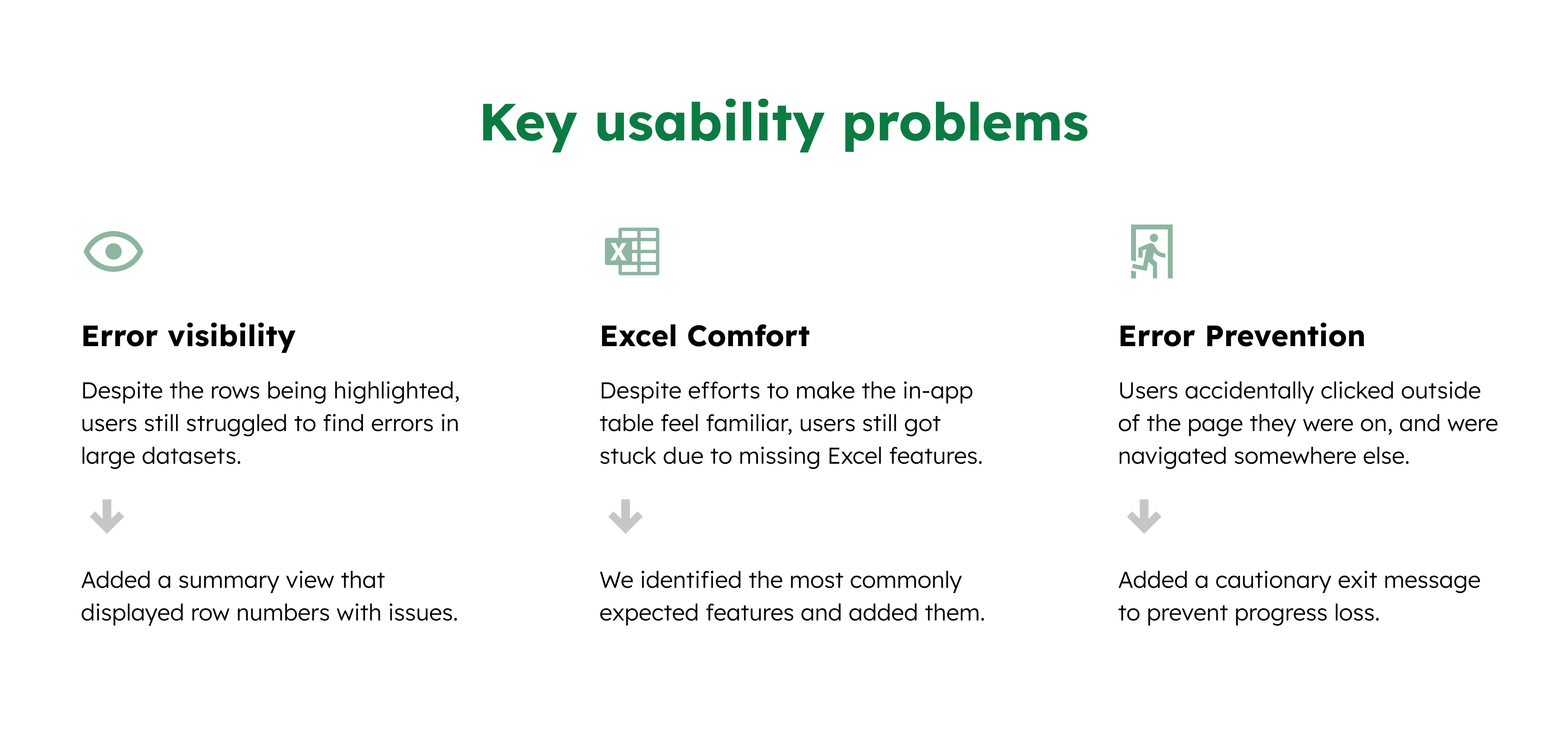
After synthesizing our findings, we prioritized and assigned action items to address the key usability issues.
Feature Demonstration
This is a demonstration of the feature using a mock hotel and sample data.
Impact
The average time for monthly data entry was reduced from over an hour to just 10 minutes, by streamlining the process of uploading, validating, correcting, and submitting a template. Time savings increase with larger datasets.